Clean setup from the start
Settings stay simple, reminders are optional, and Calendar sync is there when it helps.
SchedAI helps you turn spoken tasks into a clear plan, keep the important things in view, and sync to Calendar only when you want that extra structure.
Version 1.0 is live with fast planning, optional reminders, a cleaner daily flow, and a widget that keeps the day close.
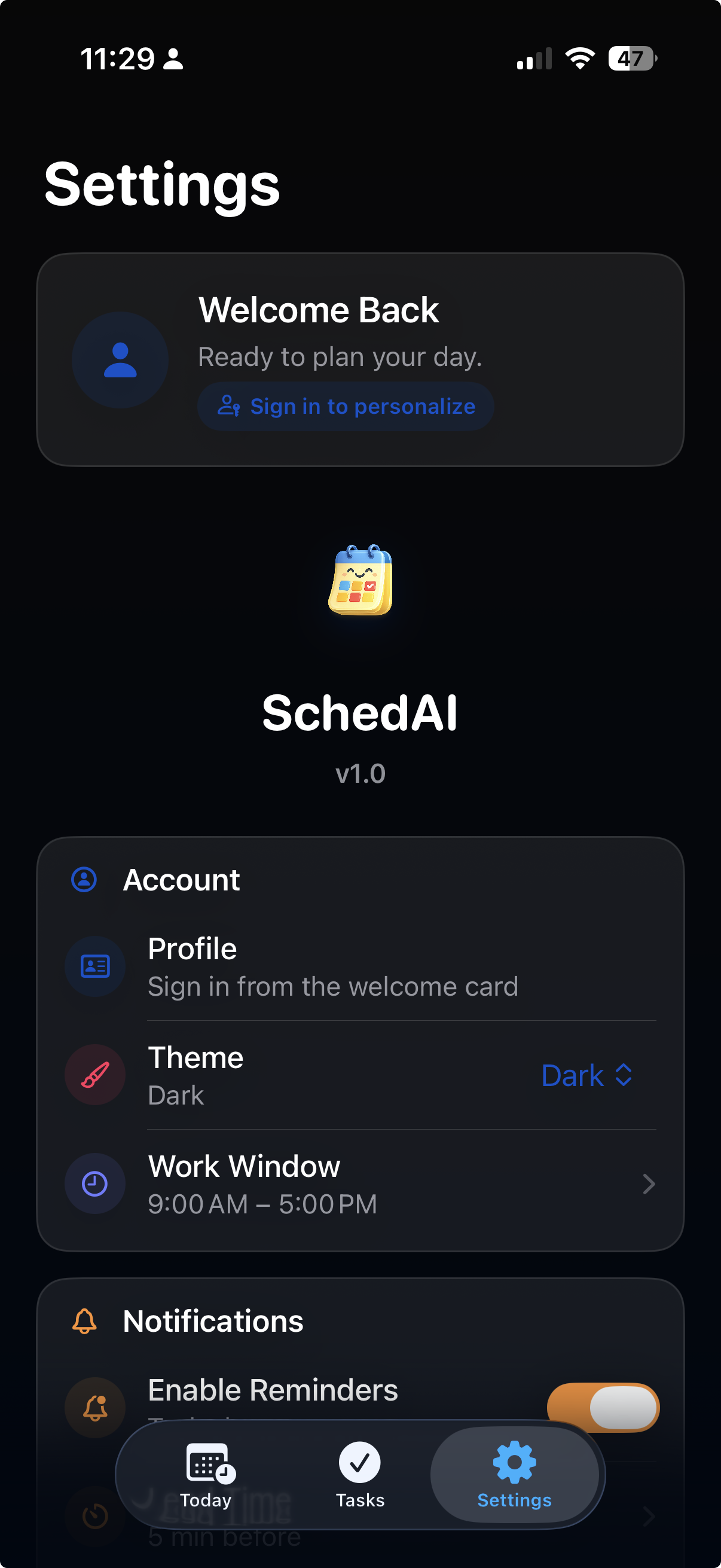
Settings stay simple, reminders are optional, and Calendar sync is there when it helps.
Some days you need structure. Some days you just need a quick path from brain noise to a real plan. SchedAI is built for both.
You can speak naturally and move on. No rigid setup. No long form. No need to type every tiny thing.
Your plan is organized around the day itself, so you spend less time sorting and more time getting things done.
Notifications and Calendar sync are optional. Turn them on when you want more structure and leave them off when you do not.
The App Store release is about getting the core experience right. Quick capture, thoughtful planning, and a Settings area that stays easy to use.
Use your voice to get tasks into the app quickly, review the plan, and make edits before confirming it.
Create, edit, reorder, complete, and fine tune tasks without turning the day into busywork.
Schedule reminders before tasks start so the day can keep moving even when your attention shifts.
Choose a calendar destination, including Google calendars already connected to iOS, when you want your planned schedule to sit next to the rest of your day.
A glimpse at the calm setup flow, the Today screen, and the updated widget built to keep your plan visible at a glance.
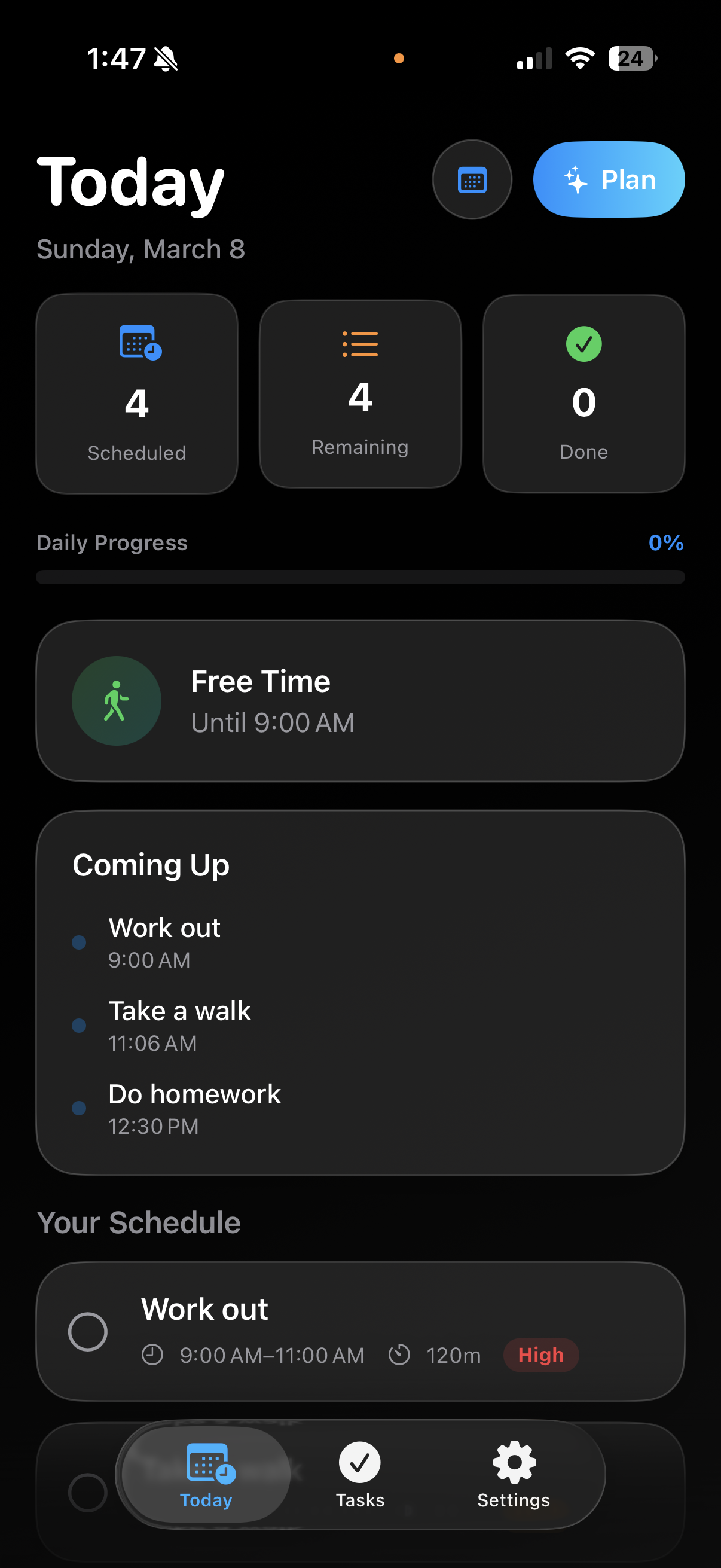
The daily view keeps progress, quick planning, and the schedule in one place so the next step is easy to find.
The settings flow is built to feel calm and welcoming instead of dense or technical.
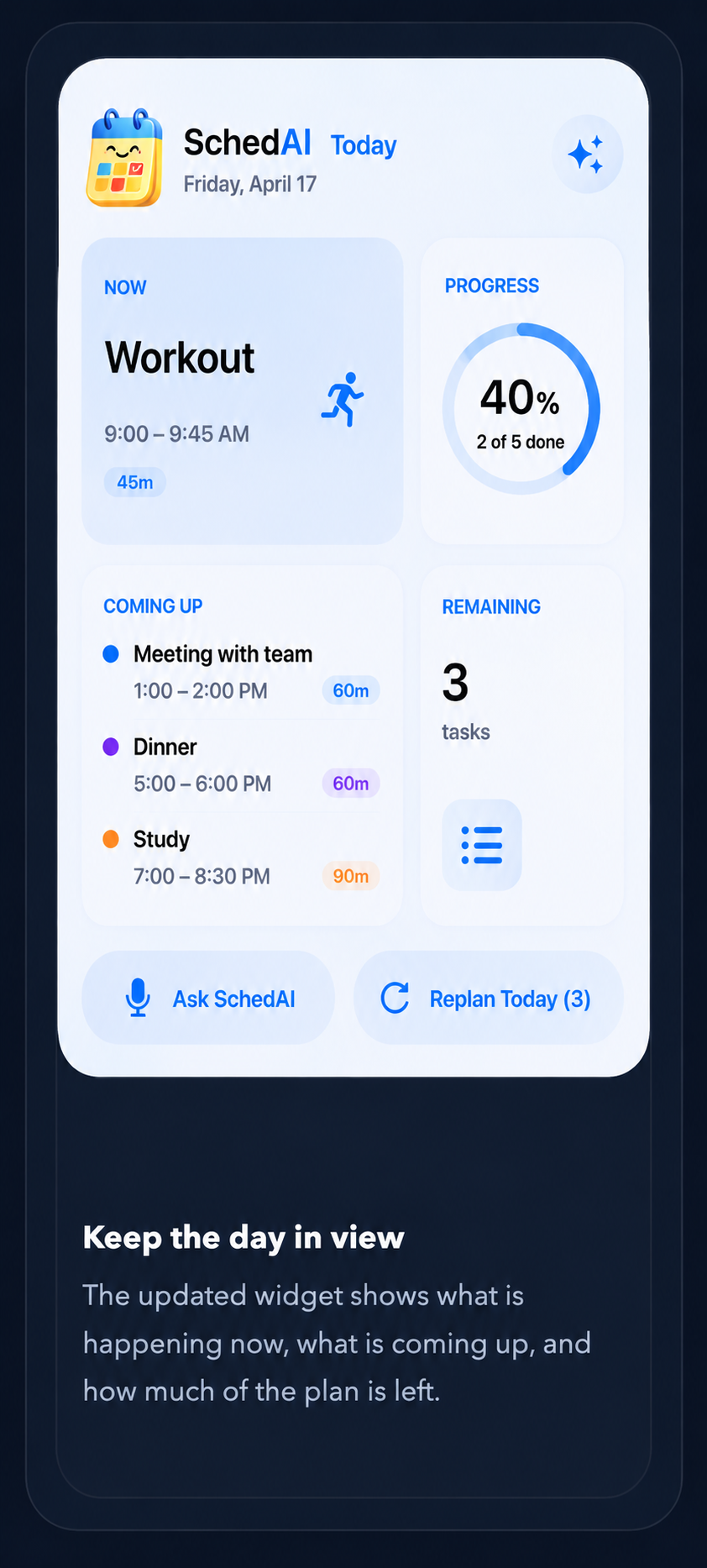
The updated widget shows what is happening now, what is coming up, and how much of the plan is left.
The short version is simple. SchedAI is meant to feel lightweight, respectful, and easy to trust.
No. Calendar sync is optional and only happens if you turn it on inside the app.
No. Voice planning is there when it helps. You can still work with tasks manually.
Sharing your Apple-provided name lets SchedAI greet you locally on your device. It does not create a separate cloud account at launch.
No. Preview works on device first. Hosted AI improve is on by default for Improve and can be turned off in Settings.
SchedAI is live on the App Store. Download the iOS app, try the browser planner, or reach the team through support.